Chantelle van Heerden

Updated 6 months ago

Easy file sharing

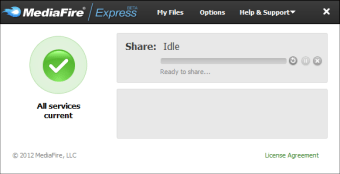
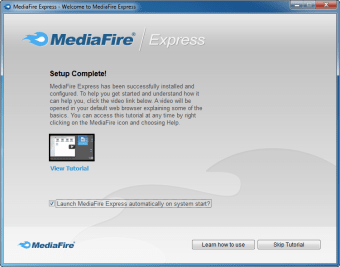
MediaFire Desktop is the official MediaFire client, which allows you to upload files to the program’s servers in a quick and convenient way.

Drag and drop

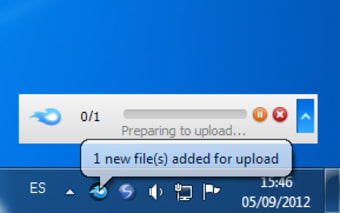
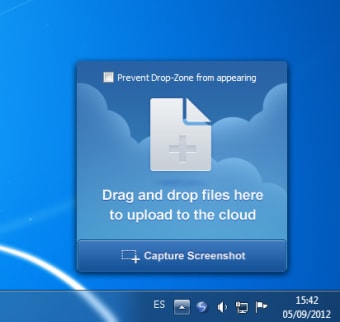
With MediaFire Desktop you can drag and drop files and documents to the Windows system tray located in the lower right corner of the screen, from where they will be uploaded to MediaFire’s servers. There is 50 GB free storage per user, and a maximum of 200 MB per file uploaded.

Share via URL

MediaFire Desktop displays a progress bar to show how long the upload will take, a particularly useful feature when working with very large files. In addition, when a file has been uploaded, it provides you with a URL you can use to share the file with anyone.

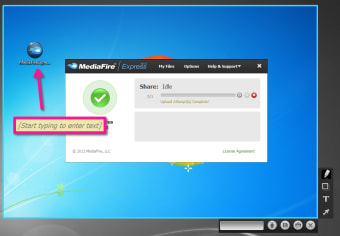
The program also includes a screen capture feature, which allows you to save screen images in a PNG format before uploading them or sending them to print. It also has tools to add text, arrows, and other objects.

Easy file sharing

If you need to share files over the internet, MediaFire is a good place to do it. And MediaFire Desktop makes this process even easier.


Chantelle van Heerden

    With over 12 years in marketing and project management, she has led digital campaigns, events, and design projects for international clients. Alongside her agency work, she has contributed written content across multiple formats, combining professional expertise with a passion for communication and creative storytelling.

    • Pros

      • 50 GB of space for free
      • Drag and drop
    • Cons

      • Doesn't show you all saved files
     0/6

    App specs

    Also available in other platforms

    Program available in other languages


    Icon of program: MediaFire Desktop

    MediaFire Desktop for PC

    • Free
    • 3.9
      1437
    • 269.8K
    • V1.8.12.11026

    User reviews about MediaFire Desktop

    3.9

    2 reviews

    Add review

    Main reviews for you

    • Anonymous user

      It could not find an NTFS file on my laptop! So it is useless, as I see it!

    • Anonymous user

      Awesome product -- lets get an update! . Awesome app! Super easy to upload large files for clients in a hurry without accessing my browser.After my upgrade to Apples latest OS (Yosemite) however, the function to be able to upload files directly from your finder by right clicking no longer works.

    More

    You may also like

    Alternatives to MediaFire Desktop

    Explore Apps

    Latest articles

    Laws concerning the use of this software vary from country to country. We do not encourage or condone the use of this program if it is in violation of these laws.
    Softonic

    Is MediaFire Desktop safe?

    99/100

    Score result: Clean

    This file passed a comprehensive security scan using VirusTotal technology. It is safe to download.

    • Virus free
    • Spyware free
    • Malware free
    • Verified by Security Partners

      VirusTotal logo

    Scan Info

    Last scan
    Friday, October 25, 2024
    Scan provider
    VirusTotal · Full report

    File Integrity

    File
    MediaFire_Desktop_V1.8.12.11026.exe
    SHA256
    44fe45c2fdce7fea40a01bd4d5339690160a1f2c83c0a5228db8bebc1967dae3
    SHA1
    286e7c32de84e9b14a034c443f23ce9d5f928e78

    Softonic security commitment

    MediaFire Desktop has been thoroughly scanned by our advanced security systems and verified by industry-leading partners. This file comes from the official developer and has passed all our security checks, showing no signs of viruses, malware, or spyware. For more information, visit our Security and Trust Center